
How can I delete my account?
Edited
We are sorry to see you go! Follow these steps to delete your account:
1. Open the “Profile” section;
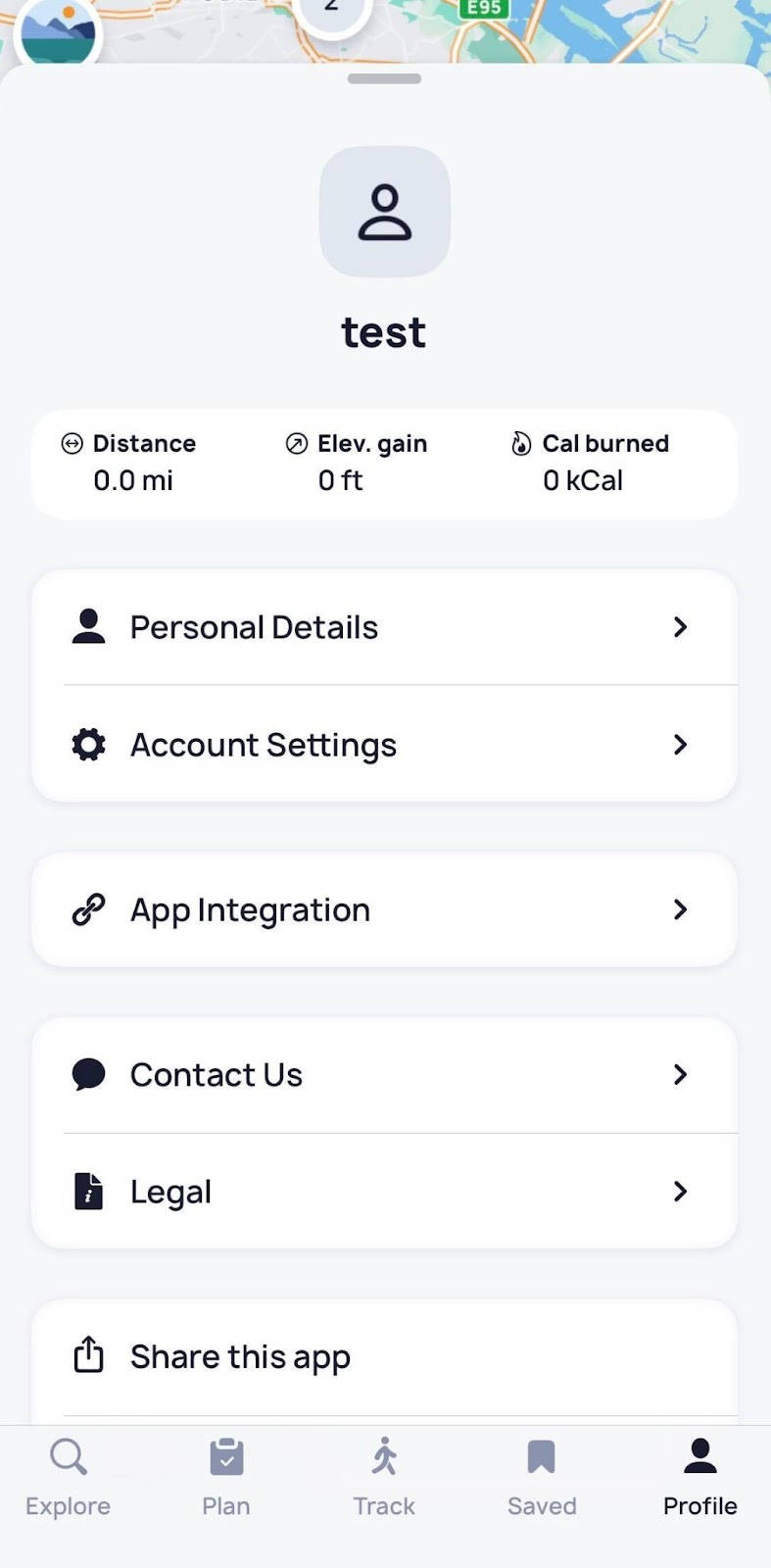
2. Tap on “Personal Details”;
3. Select the “Erase personal data” option:
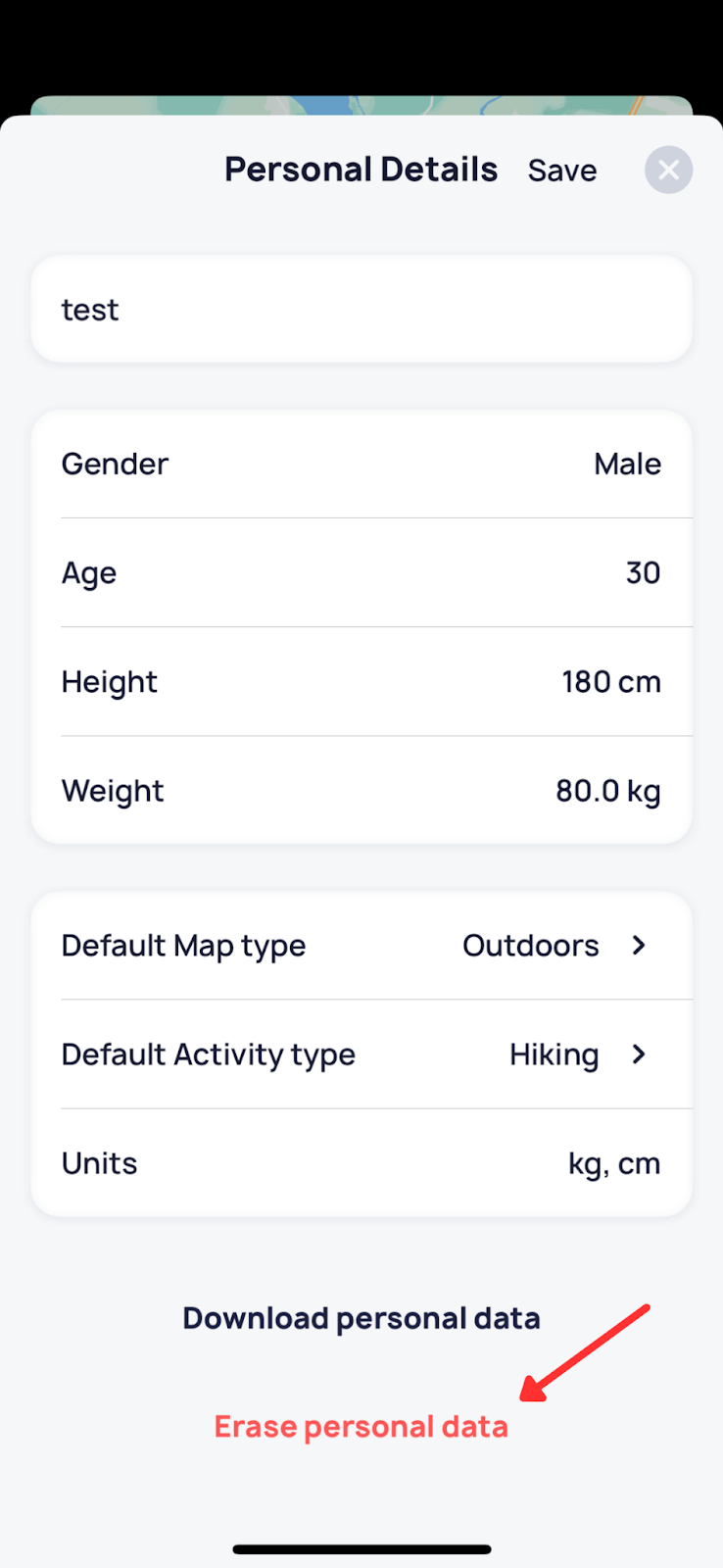
Please be aware that deleting your account in the application will not cancel your subscription, but your progress will be erased, and you will be logged out of the application.
You can also contact our support service by requesting to delete your account via email at support.web@fottur.io.
iOS